Quickstart
Install
pip install specux # CPU everywhere; Metal on macOS, CUDA with a driver + NVRTCpip install specux[cuda12] # + NVRTC & CUDA headers from NVIDIA's pip wheelspip install specux[cuda13] # the same for CUDA 13 buildspip install specux[torch] # torch bundles its own CUDA, no extra neededFrom source, pip install -e . builds the CPU backend everywhere, the CUDA
extension when a toolkit is found (SPECUX_CUDA_HOME pins one), and the Metal
extension on macOS.
One API, any array library
The same call accepts numpy, torch, and cupy; the result comes back in the input’s library, on the input’s device.
import numpy as np
import specux
x = np.random.randn(8, 32768).astype(np.float32)S = specux.stft(x, n_fft=1024, hop_length=256, output="power")S.shape                       # (8, 513, 129), np.float32
import torch
import specux
xt = torch.randn(8, 32768, device="cuda", requires_grad=True) # or device="mps"mel = specux.melspectrogram(xt, sr=16000, n_fft=1024, n_mels=80)mel.sum().backward() # differentiable end to end, resident on the GPUxt.grad.shape # torch.Size([8, 32768])torch.compile traces specux calls with zero graph breaks, and inside
torch.autocast regions the transforms compute in float32 regardless of the
surrounding dtype (the AMP-safe policy for spectral ops).
import cupy
import specux
xc = cupy.random.standard_normal((8, 32768), dtype=cupy.float32)S = specux.stft(xc, n_fft=1024, hop_length=256, output="db")    # stays on the GPU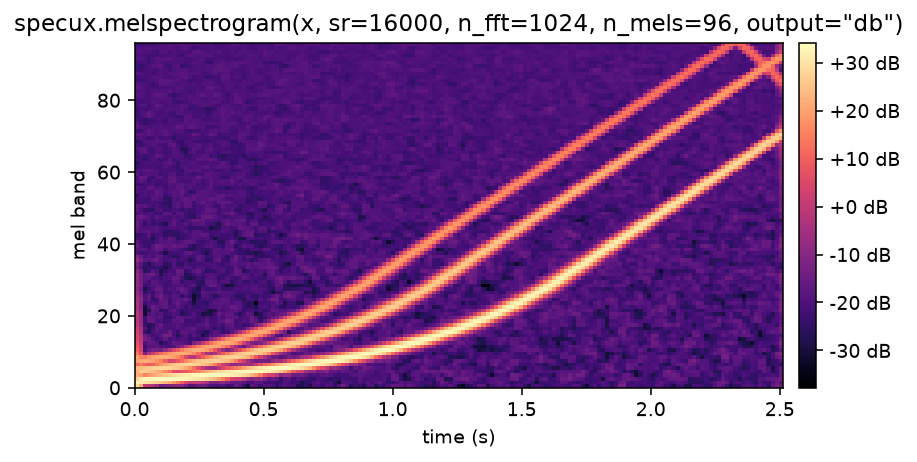
From an audio file
specux.audio.load decodes to numpy and resamples in one call; feed the
result straight into any transform:
import specuximport specux.audio
y, sr = specux.audio.load("speech.wav", sr=16000, mono=True)   # float32, (time,)M = specux.melspectrogram(y, sr=sr, n_fft=1024, n_mels=80, output="db")M.shape                       # (80, n_frames)
WAV, MP3, FLAC, OGG, MP4/AAC, and more; see load for offsets, durations, byte inputs, and the decode backends.
Round trips
istft inverts stft exactly (the window/hop pair is NOLA-validated):
Z = specux.stft(x, n_fft=1024, hop_length=256) # complex spectrumr = specux.istft(Z, n_fft=1024, hop_length=256, length=x.shape[-1])np.abs(r - x).max() # ~1e-5, float32 roundoff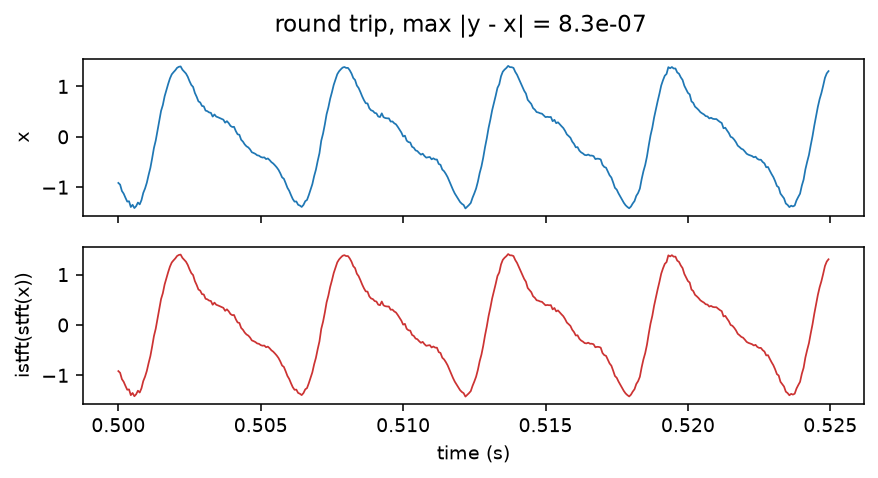
The FFTs underneath
The transform family is public too, on the same surface, at any length:
F = specux.rfft(x) # (..., n) real -> (..., n//2+1)y = specux.irfft(F, x.shape[-1]) # exact inverse, scaled by 1/nplan = specux.fft_plan(4096, real=True) # reusable length-bound handleSee rfft / irfft and fft / ifft
for out= buffers and how million-point transforms stay on the GPU.
Configured transforms
Construct once with keyword-only parameters, call with (..., time)-shaped
arrays of any supported library:
t = specux.MelSpectrogram(sr=44100, n_fft=1024, n_mels=80)M = t(x) # (..., n_mels, frames)assert specux.MelSpectrogram(**t.to_dict()) == tFor hot loops on CUDA, build a plan once (the only place tuning knobs live); plans run by raw pointer and do not carry gradients:
batch = torch.randn(8, 32768, device="cuda")plan = specux.stft_plan(n_fft=1024, hop_length=256, output="power")plan = specux.autotune(batch, plan)S = plan(batch)Backends
backend="auto" routes by the input: torch tensors run where they live
(CUDA, mps, or CPU), cupy runs on CUDA by raw pointer on its own stream,
numpy uses CUDA when available and the CPU backend otherwise. torch inputs are
differentiable on every backend. The full support matrix (gradients,
torch.compile, precisions, what each backend requires) is on the
Backends page.
Going further
Each transform has its own page: STFT, ISTFT, MelSpectrogram, MFCC, LFCC, CQT, VQT, and Chroma. Runtime options covers determinism, benchmarking, and the environment variables.